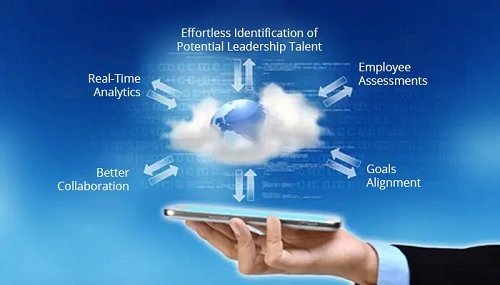
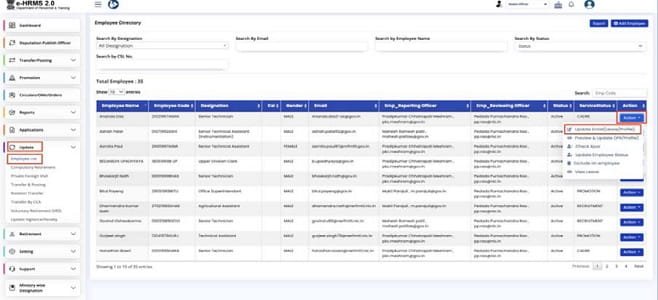
BOI HRMS is the official HR platform for serving employees and pensioners of the Bank of India. It centralizes personal profiles, salary slips, leave data, PF details, pension records, and internal HR services.
Each user logs in using their Employee / PF Number, which connects all professional and financial information into a single dashboard. This replaces manual paperwork and improves transparency across the bank.
Bank of India (BOI) manages a large nationwide workforce along with thousands of retired employees. To streamline employee services and retirement benefits, the bank operates a centralized digital platform known as BOI HRMS.
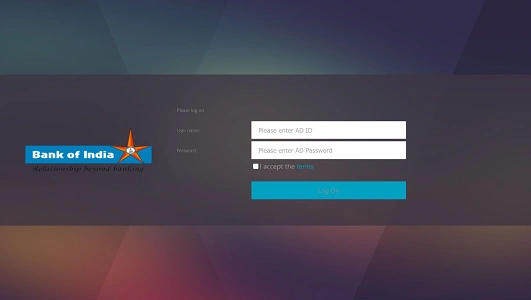
BOI HRMS Portal Login Process
Employees and retirees can access HRMS through: https://hrms.bankofindia.co.in/
Staff Portal: https://bankofindia.bank.in/staff-portal
Official Login Details
- User ID: Employee / PF Number
- Password: Secure personal password
How to Login (Step by Step)
- Open your browser and visit bankofindia.co.in.
- Enter your Employee/PF Number.
- Type your Password.
- Click Login to reach your dashboard.
Once logged in, users can access payroll, pension records, leave services, and reimbursements.
Key Features of BOI HRMS
BOI HRMS works as a full Employee and Pensioner Self-Service platform.
1. Payroll Services
Download monthly salary slips and annual Form 16 directly from the portal.
2. Pension Management
Retired employees can view pension details and download payment statements online.
3. Leave & Attendance
Apply for Casual or Earned Leave, check leave balances, and view the official holiday calendar.
4. Reimbursements
Submit claims for travel, medical, or food expenses digitally without branch paperwork.
5. Provident Fund (PF)
Track current PF balances and view historical contribution records.
6. Performance Tracking
Access workforce administration modules and professional goal-setting tools.
Mobile Access (BOI Mobile Omni Neo)
For 2026, BOI encourages staff to use the BOI Mobile Omni Neo app for quick HR access.
- Available on Google Play Store and Apple App Store
- Often includes a Staff Portal / HRMS link inside the profile section
- Useful for alerts, attendance, and basic HR updates on the go
How to Reset Your BOI HRMS Password
If you cannot log in:
- Visit bankofindia.co.in.
- Click Forgot Password.
- Enter your Employee ID and answer your security question.
- Set and confirm a new password.
- Click Submit to complete the reset.
Benefits of BOI HRMS
From an HRMS professional perspective, the platform delivers strong operational advantages.
1. Saves Time
Payslips, PF details, and leave requests are handled online, reducing branch visits.
2. Improves Transparency
Employees and pensioners can directly access their own financial and service records.
3. Paperless Operations
Most HR workflows are digital, minimizing manual documentation.
4. Secure Access
Login credentials and internal security controls protect sensitive data.
5. Centralized Workforce Management
The bank maintains a unified view of staff and retirees nationwide.
Frequently Asked Questions (FAQs)
Q1. Who can use BOI HRMS?
Serving employees and registered pensioners of Bank of India.
Q2. Can I download old payslips or pension slips?
Yes. Previous records remain available after login.
Q3. Is mobile access mandatory?
No, but BOI Mobile Omni Neo offers convenient on-the-go access.
Q4. What if I forget my password?
Use the “Forgot Password” option or contact branch HR/IT support.
In conclusion, BOI HRMS has become the digital backbone of workforce and pension management at Bank of India. By combining payroll, PF, pension services, leave management, reimbursements, and mobile access into one system, it replaces traditional HR processes with secure, modern efficiency.