Your Service Book is one of the most important records of your career. It documents everything from your first appointment to your last promotion, including pay details, leave, transfers, and rewards or penalties. In modern HR systems, this record exists as an Electronic Service Book (e-Service Book or e-SB) inside HRMS.
Viewing your service book regularly is strongly recommended—especially before promotion, MACP, pension processing, or retirement. This guide explains how to view your service book in HRMS, what to check inside it, and what to do if something is wrong.
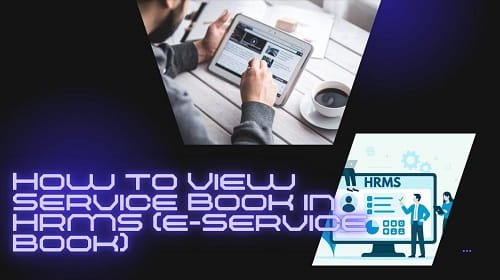
What Is an e-Service Book in HRMS?
An e-Service Book is the digital version of the traditional physical service book maintained by the Establishment Section. It is legally valid and maintained on official HRMS platforms.
It typically includes:
- Personal and family details
- Educational qualifications
- Appointment and joining details
- Transfers and postings
- Promotions and increments
- Pay fixation history
- Leave account (EL / HPL)
- Awards, penalties, suspensions (if any)
In most government systems, the e-Service Book is now treated as the primary service record.
Who Can View the Service Book?
- Employees can view their own service book
- Reporting Officers / Admin / DDO can view and verify records
- Editing rights are restricted and approval-based
1. How to View Your e-Service Book in e-HRMS 2.0 (Government Employees)
If you are a Central Government employee or a State Government employee using the unified e-HRMS system, follow these steps.
Step-by-Step Process
Step 1: Log in to e-HRMS Portal
Go to ehrms.gov.in and log in using e-Parichay (NIC / gov email credentials).
Step 2: Access Employee Dashboard
After login, you will land on your Employee Dashboard.
Step 3: Open e-Service Book / Service Record
Look for menu options such as:
- e-Service Book
- Service Book
- Service Record
Click on it to open your digital service book.
Step 4: View Section-Wise or Full PDF
Most portals provide two viewing options:
- Section-wise view (Personal, Pay, Leave, etc.)
- Full Service Book PDF
Some systems also offer a flip-book style view, designed to look like a physical service book.
2. Common Sections You Must Verify Carefully
When viewing your service book, do not rush. Carefully check the following sections.
Personal & Family Details
- Name spelling (as per service records)
- Date of birth
- Marital status
- Nominee details
Even small spelling errors can cause issues during pension processing.
Education & Qualification
- Degrees and certificates
- Dates of qualification
- Recognized institutions
Missing education entries can affect eligibility for promotion.
Service History
- Date of appointment
- Transfers and postings
- Change of cadre or designation
Ensure the chronological order is correct.
Pay & Increment Details
- Pay level / pay scale
- Date of pay fixation
- Annual increment dates
Errors here directly affect salary and pension.
Leave Account
- Earned Leave (EL)
- Half Pay Leave (HPL)
Your balance should match your personal calculations and leave history.
3. How to Download Service Book PDF
Most HRMS portals allow downloading the service book.
Path (general): Service Book → View → Download PDF
The PDF may:
- Be watermarked
- Show verification status (Frozen / Verified)
Save a copy for your records.
4. What to Do If You Find an Error in Service Book
Finding an error is common, especially for older records. The correction process is formal but structured.
Step 1: Raise a Change / Correction Request
Go to:
- Employee Self Service (ESS)
- View / Edit My Details
- Raise Change Request
Step 2: Upload Supporting Documents
You must upload official proof, such as:
- Appointment order
- Promotion order
- Transfer order
- Pay fixation memo
Only official office orders are accepted.
Step 3: Approval Workflow
Your request usually goes through:
- Maker (Clerk / Establishment)
- Checker (Admin / DDO)
Once approved, the entry is updated and digitally frozen.
5. Key Benefits of Viewing e-Service Book in HRMS
| Benefit | Why It Matters |
| Real-time access | No need to request physical files |
| Transparency | You can see who updated what and when |
| Promotion readiness | Errors caught early avoid delays |
| Pension readiness | Clean records speed up retirement processing |
| Legal validity | e-Service Book is now an official record |
As per recent mandates, verified e-Service Books on e-HRMS are considered legally valid primary records for service matters.
Important Tips for Employees
- Check your service book at least once a year
- Always verify after promotion or pay revision
- Never ignore small spelling or date errors
- Keep copies of all office orders safely
- Do not wait until retirement to fix mistakes
Final Thoughts
Your Service Book is your career in writing. The shift to digital e-Service Books through HRMS has made access easier, but responsibility still lies with the employee to verify accuracy.
Viewing your service book regularly helps you avoid serious problems later—especially during promotions, MACP, or pension settlement. If something looks wrong, raise it early with proper documents.
In simple terms: A clean, verified service book today means a stress-free tomorrow.