Updating family details in HRMS is not a small profile edit. It directly controls some of the most important service benefits you are entitled to—maternity and paternity leave, child care leave (CCL), LTC eligibility, medical reimbursement, CGHS coverage, and family pension. If your family data is missing, outdated, or incorrect, the system will silently block these benefits, often at the worst possible time.
In 2026, most government and PSU HRMS portals follow a self-service + approval model. You, the employee, must initiate the change, upload proof, and then wait for verification by the Nodal Officer or DDO. Until approval is granted, the update does not become part of your Service Book.
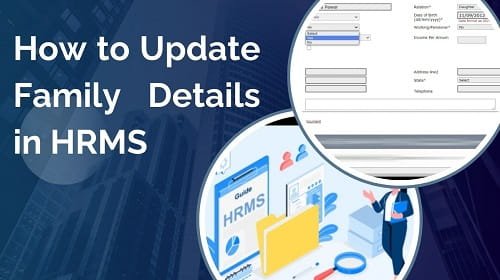
This guide explains how to update family details in HRMS, step by step, for Central Government, Railways, and State Government systems, along with documents required and common mistakes to avoid.
Why Family Details Matter in HRMS
Your family details decide:
- Who can be added as a nominee
- Eligibility for Child Care Leave
- Whether LTC dependents appear in the dropdown
- Who receives family pension after retirement
- CGHS / health insurance coverage
That’s why HRMS treats family data as high-security information.
1. How to Update Family Details in e-HRMS 2.0 (Central Government)
For Central Government employees, family details are part of the digital Service Book, so every change requires approval.
Step-by-Step Process
Step 1: Log In
- Visit ehrms.gov.in
- Log in using e-Parichay (NIC / gov email + OTP)
Step 2: Go to Profile Section
Navigate to:
- My Profile
- Personal Information
- Family Details
Step 3: Add or Edit Family Member
- Click “Add Family Member” (+) to add new details
- Or click Edit to correct existing information
You must fill:
- Name (as per Aadhaar)
- Relationship (spouse, son, daughter, parent)
- Date of Birth
- Aadhaar Number
- Dependency status (Yes/No)
Step 4: Upload Supporting Documents
Upload relevant proof (PDF/JPEG):
- Birth Certificate (for child)
- Marriage Certificate (for spouse)
- Income declaration (for dependent parents)
- Disability certificate (if applicable)
Step 5: Submit for Approval
- Save draft first
- Click Submit for Approval
The request goes to your Nodal Officer / DDO.
Only after approval does it reflect in your Service Book.
2. Railway Employees – HRMS / ESS Method
For Railway staff, family data also affects Pass / PTO eligibility, so edits are tightly controlled.
Steps
1. Log in to Railway HRMS
2. Go to:
- IRHRMS-ESS
- View / Edit My Details
3. Select Family Details
4. Click Raise Change Request
5. Tick checkboxes to unlock specific fields
6. Enter reason (e.g., “Birth of child”)
7. Upload proof
8. Submit using Transaction OTP
Until approved, changes remain pending.
3. State Government HRMS (Manav Sampada / IFMS)
State portals usually store family data in Form-2 (Family Details).
Common Steps
1. Log in to your State HRMS
2. Go to:
- Personal Information
- Update Profile
- Family Details (Form-2)
3. Add or edit family member
4. Mark Dependent correctly
(usually income below ₹9,000 + DA)
5. Upload proof
6. Submit / Publish
In many states, edits are allowed only for 3–5 days after entry.
4. Documents Required (Keep Ready)
| Situation | Document Needed |
| Birth of child | Birth Certificate |
| Marriage | Marriage Certificate / affidavit |
| Dependent parents | Income certificate / self-declaration |
| Disabled child | Disability certificate |
| Widowed/divorced daughter | Legal decree |
| Aadhaar | Mandatory for all members |
File size is usually limited to 1–2 MB, PDF preferred.
Important Rules for 2026
- Family details must be approved to become valid
- Only approved children appear for CCL and LTC
- Nominee updates often depend on family data
- Incorrect or missing data can delay pension processing
Common Mistakes to Avoid
- Entering names not matching Aadhaar
- Forgetting to mark “Dependent”
- Uploading blurred documents
- Assuming save = submit
- Not tracking approval status
Best Practices
- Update family details immediately after life events
- Track approval status weekly
- Keep scanned documents clear and readable
- Re-verify details before applying for LTC, CCL, or pension
- Download approval confirmation for records
Final Thoughts
Family details in HRMS are not cosmetic profile fields. They are legal and service-critical records that follow you from appointment to retirement and beyond. A delay or mistake today can cause serious problems years later, especially during pension settlement.
If you treat family updates carefully—complete data, correct documents, and timely submission—the system works smoothly. Once approved, your benefits unlock automatically, without last-minute stress.