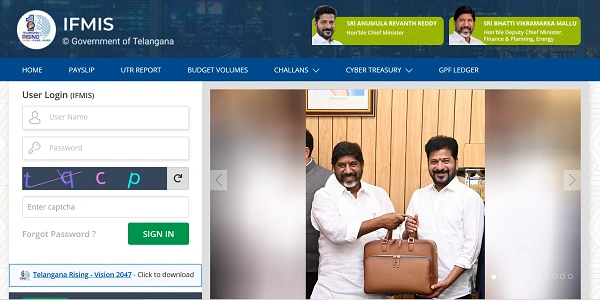
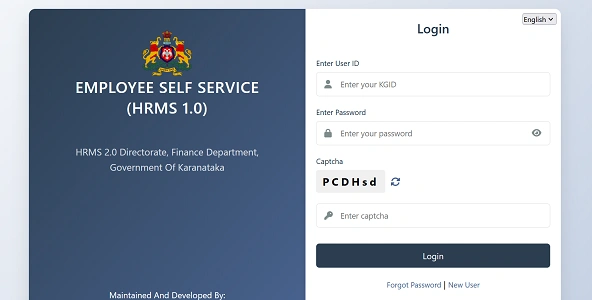
Downloading a pension slip is slightly different from downloading a salary slip. Once an employee retires, pension data usually moves out of the regular employee HRMS and into a Pensioner Portal or the Pension Disbursing Bank’s system.
That’s why many pensioners get confused when they don’t see pension slips inside the normal HRMS login.
Let’s understand where and how to download your pension slip, depending on whether you are a Central Government or State Government pensioner.
Important First Point to Understand
After retirement, pension slips are usually NOT available in the normal “Employee HRMS” login.
They are accessed through:
- A Pensioner Portal, or
- Your Pension Disbursing Bank’s portal
HRMS mainly acts as a data source, not the final payment platform.
1. Central Government Pensioners (Bhavishya / HRMS Integration)
If you retired from a Central Government department, your pension records are managed through Bhavishya, which is integrated with HRMS and PFMS.
Step-by-Step: Download Pension Slip (Central Govt)
Step 1: Visit the Bhavishya Portal
Open the official Bhavishya pension portal.
Step 2: Log In as Pensioner
Log in using:
- PPO Number or
- Registered Mobile Number (OTP-based login)
Step 3: Go to Pensioner Corner / Reports
After login, look for:
- Pension Slip
- Monthly Pension Statement
- Pension Details
Step 4: Select Month & Year
Choose the required month (for example, January 2026).
Step 5: Download PDF
Click Download / View PDF to save your pension slip.
From the same portal, you can usually download:
- e-PPO
- Pension revision orders
- Form 16 (for pension)
2. State Government Pensioners (IFMS / State HRMS)
Most State Governments provide pension slips through State HRMS or IFMS portals, not the employee login.
Examples:
- Tamil Nadu – IFHRMS
- Uttar Pradesh – Manav Sampada
- Odisha, Maharashtra, Rajasthan – State IFMS / HRMS portals
General Steps (State Government)
Step 1: Open Your State HRMS / IFMS Portal
Step 2: Switch User Type to “Pensioner”
On the login page:
- Change User Type from Employee to Pensioner
Step 3: Log In Using PPO Details
Use:
- PPO Number
- Password / OTP (as applicable)
Step 4: Navigate to Pension Reports
Go to:
- Reports → Pension Slip
- Pension Details → Monthly Slip
Step 5: Download Pension Slip
Select month/year and download the PDF.
3. Download Pension Slip from Your Bank (Most Reliable Method)
In practice, many pensioners find it easiest and fastest to download pension slips directly from their pension disbursing bank, because the bank actually credits the pension.
Common Bank Options
- State Bank of India (SBI PensionSeva)
- Punjab National Bank
- Bank of Baroda
- Canara Bank
- Union Bank
SBI Example (PensionSeva)
1. Log in to SBI PensionSeva
2. Go to Pension Slip / Pension Statement
3. Select Year & Month
4. Download PDF
Many banks also allow this through:
- Net Banking
- Mobile apps (e.g., YONO)
4. Password for Pension Slip PDF (Very Important)
Most pension slips are password-protected.
Common password formats:
- Date of Birth: DDMMYYYY
- Name + DOB: First 4 letters of name + birth year
If the PDF doesn’t open:
- Check the download page for password instructions
- Try DOB format first
5. If Pension Slip Is Not Showing
Common Reasons
- Life Certificate (Jeevan Pramaan) not verified
- Delay in monthly pension processing
- Bank account issue
- PPO not linked correctly
If your Life Certificate is expired, banks may:
- Pause pension payment
- Stop generating slips
Submit Jeevan Pramaan and wait for confirmation.
6. DigiLocker Option (New & Useful)
You can also store pension documents digitally:
- e-PPO
- Pension slips
By linking your account with DigiLocker, pension records can be fetched automatically from government databases for long-term safekeeping.
Quick Comparison: Where to Download Pension Slip
| Pensioner Type | Best Platform |
| Central Govt | Bhavishya Portal |
| State Govt | State HRMS / IFMS |
| Any Pensioner | Pension Disbursing Bank |
| Record Storage | DigiLocker |
Final Thoughts
If you are trying to download a pension slip from HRMS and can’t find it, don’t panic. In most cases, you are looking in the wrong place. After retirement, pension slips usually live in pensioner portals or bank systems, not the employee HRMS.
For fastest access:
- Use your bank’s pension portal
- Keep PPO number and DOB handy
- Ensure Life Certificate is valid
Once you know the right portal, downloading your pension slip takes less than two minutes—and saves unnecessary visits to banks or offices.