The CGEGIS (Central Government Employees Group Insurance Scheme) is a mandatory insurance-cum-savings scheme for Central Government employees. It covers insurance benefits during service and a lump-sum savings payout at retirement.
Because CGEGIS is linked with payroll deductions, service length, and retirement benefits, your HRMS is the primary place to check whether your subscription is correct. Viewing these details regularly helps avoid wrong deductions, missing credits, or delays at retirement.
Below is a clear, step-by-step guide to view CGEGIS details in HRMS, along with tips to understand what you’re seeing.
What CGEGIS Details Include in HRMS
When you open CGEGIS in HRMS, you typically see:
- CGEGIS group (A / B / C / D)
- Monthly subscription amount
- Date of subscription start
- Total contributions made
- Insurance cover amount
- Savings portion accumulated
- Status (Active / Stopped)
- Recovery through payroll
1. How to View CGEGIS Details in e-HRMS 2.0 (Central Government)
For Central Government employees, CGEGIS data is maintained under the Payroll / Insurance module and synced with your Service Book.
Step-by-Step
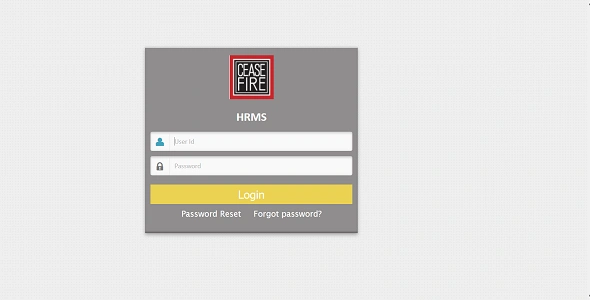
1. Go to ehrms.gov.in
2. Log in using e-Parichay (NIC/Gov email + OTP)
3. From the dashboard, navigate to:
- Employee Services
- Payroll / Insurance / Deductions
4. Click on CGEGIS / Group Insurance
5. Select the Financial Year (if prompted)
You will now see your complete CGEGIS profile on the screen.
2. Where Exactly CGEGIS Appears in HRMS
Depending on your department, CGEGIS may appear under:
- Payroll → Deductions
- My Profile → Insurance Details
- Service Book → Pay & Deductions
- Reports → Insurance Statement
If you don’t see “CGEGIS” by name, look for:
- Group Insurance
- GIS
- Insurance Subscription
3. Understanding Your CGEGIS Screen
Here’s how to read the information correctly:
1. CGEGIS Group
Your group depends on your pay level at the time of joining (not current level).
This determines both monthly deduction and insurance cover.
2. Monthly Subscription
This is deducted automatically from your salary every month and shown in payslips.
3. Savings vs Insurance
- Part of the amount goes toward insurance
- The rest accumulates as savings, payable on retirement
Status
- Active: Deductions ongoing
- Stopped: Usually after retirement, death, or exemption
4. How to Cross-Check CGEGIS with Payslip
To ensure accuracy:
- Open your monthly payslip
- Go to Deductions
- Find CGEGIS
- Match the amount with HRMS CGEGIS screen
If the deduction is missing for any month, it should be flagged immediately.
5. State Government & Other HRMS Portals
Some states follow CGEGIS-like schemes under different names.
General Steps
1. Log in to State HRMS
2. Go to Payroll / Deductions
Look for:
- Group Insurance
- GIS
3. Open Year-wise Statement
If not visible, the data may be maintained in the Accounts / AG portal instead of HRMS.
6. Common Issues & What to Do
CGEGIS not visible
- Payroll data not synced
- Contact Accounts / DDO
Wrong group shown
- Incorrect initial pay level
- Requires service book correction
Missing months
- Pay bill not uploaded correctly
- Raise HRMS grievance with payslip proof
No savings shown
- HRMS may show only subscription, not maturity value
- Final amount is calculated at retirement
7. CGEGIS at the Time of Retirement
At retirement:
- HRMS stops monthly deduction
- Total savings are calculated
- Payment is processed through PAO / Accounts
- Amount is credited to your bank account separately from gratuity
Always verify CGEGIS details at least 1 year before retirement.
Important Tips
- CGEGIS is mandatory unless officially exempted
- It is based on initial group, not promotions
- Keep screenshots/PDFs of CGEGIS details
- Raise discrepancies early—post-retirement corrections are slow
Final Note
Your HRMS is the single source of truth for CGEGIS subscription details. A quick check today can prevent major delays or losses tomorrow, especially at the time of retirement.