Fino Payments Bank Limited is one of India’s leading payments banks, focused on financial inclusion and last-mile digital banking. Headquartered in Mumbai, the bank operates a large nationwide network of banking points, merchants, and field agents, delivering basic banking services such as savings accounts, remittances, bill payments, micro-ATM services, and Aadhaar-enabled transactions. Fino plays a key role in bringing formal banking to semi-urban and rural India through technology-driven delivery models.
With thousands of employees and field teams working across branches, partner locations, and corporate offices, Fino requires a centralized digital system to manage attendance, payroll, performance, and HR operations. For this purpose, the bank uses Sampark HRMS — its internal “People Management Solution” that connects employees to all essential HR services from one secure platform.
Official Portal Access
Employees can log in using the following verified links:
- Main HRMS Portal: https://hrms.finobank.com/
- MyZone Dashboard: https://hrms.finobank.com/hrms/myzone.aspx
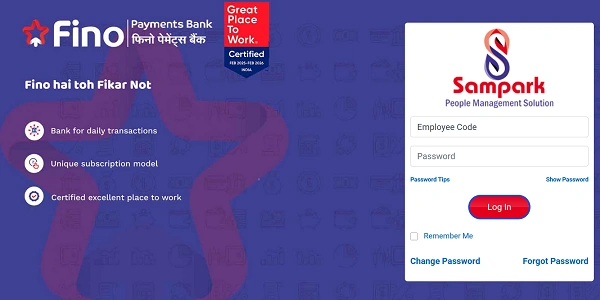
Fino Payments Bank is also certified as a “Great Place To Work” (Feb 2025 – Feb 2026), highlighting its emphasis on employee experience and workplace culture.
How to Log In
Follow these steps:
- Open your browser and visit finobank.com.
- Enter your Employee Code.
- Enter your Password.
- Click the red Log In
Optional: Tick “Remember Me” if you’re using a trusted personal device.
Once logged in, you’ll reach your Sampark HR dashboard.
Fino HRMS – Key Features and Modules
Sampark HRMS offers a complete Human Capital Management environment for Fino employees.
Payroll Management
- Download monthly payslips
- View tax calculations
- Track reimbursements and salary components
Attendance & Time Tracking
- Daily attendance monitoring
- Shift scheduling
- Online leave applications
Employee Self-Service (ESS)
- Update personal details
- View HR records
- Access internal policies and announcements
Performance Management
- Set annual goals
- Participate in appraisals
- Track competencies using analytics dashboards
Recruitment
- Supports hiring workflows such as job postings, resume screening, and interview scheduling
Compliance Management
- Ensures HR processes follow statutory labor laws and tax regulations
Password Management
Change Password
Use the “Change Password” link on the login screen to update your credentials anytime.
Forgot Password
If you can’t log in:
- Click “Forgot Password”.
- Verify using your registered Fino email ID or mobile number.
- Set a new password and log in again.
Helpful tools on the page include:
- Show Password – confirm what you typed
- Password Tips – guidance for creating strong, compliant passwords
Benefits of Sampark HRMS
From an HR operations perspective, Sampark delivers several advantages:
Centralized Workforce Data
Payroll, attendance, performance, and personal records in one system.
Faster HR Processes
Digital workflows replace manual forms and follow-ups.
Employee Empowerment
Staff can manage many HR tasks independently.
Real-Time Insights
Managers get visibility into attendance and performance metrics.
Secure Access
Controlled login ensures employee data protection.
Troubleshooting and Support
Login Errors
Double-check your Employee Code and Password. Clear browser cache or switch to Chrome/Edge if needed.
Account Access Issues
Use Forgot Password or contact your regional HR representative.
Persistent Technical Problems
Raise a ticket through internal IT support or HR helpdesk channels.
Conclusion
The Fino Payments Bank Sampark HRMS serves as the digital backbone for employee management in 2026. By bringing payroll, attendance, performance, recruitment, and compliance into one unified system, Sampark simplifies HR operations while giving employees direct control over their professional information.
For Fino staff, it’s a single window to manage daily HR needs — supporting the bank’s mission of building a connected, inclusive, and efficient workforce.
Frequently Asked Questions (FAQs)
Q1. Who can use Sampark HRMS?
All Fino Payments Bank employees with valid credentials.
Q2. Can I download old payslips?
Yes. Previous salary records remain accessible after login.
Q3. Is mobile access available?
Sampark is primarily web-based, but it works on mobile browsers.
Q4. What if I change my registered mobile number?
Contact HR to update your profile before attempting password recovery.
Q5. Is performance appraisal handled inside Sampark?
Yes. Goal setting and appraisal workflows are integrated into the platform.
![List of Traditional Dress of Meghalaya [For Men and Women]](https://hrmsunfold.com/wp-content/uploads/2026/06/List-of-Traditional-Dress-of-Meghalaya-For-Men-and-Women.jpg)